AI3 min read
First look at Kiro: the AI IDE for structured coding
In this post, I share my first impressions using Kiro, an AI-native IDE built to guide software development with structure, specs and intent. I explore how it integrates into my daily dev workflow, what benefits it brings over traditional editors, and why it could matter for AI-assisted coding at scale.
🚀 Introduction: What is Kiro?
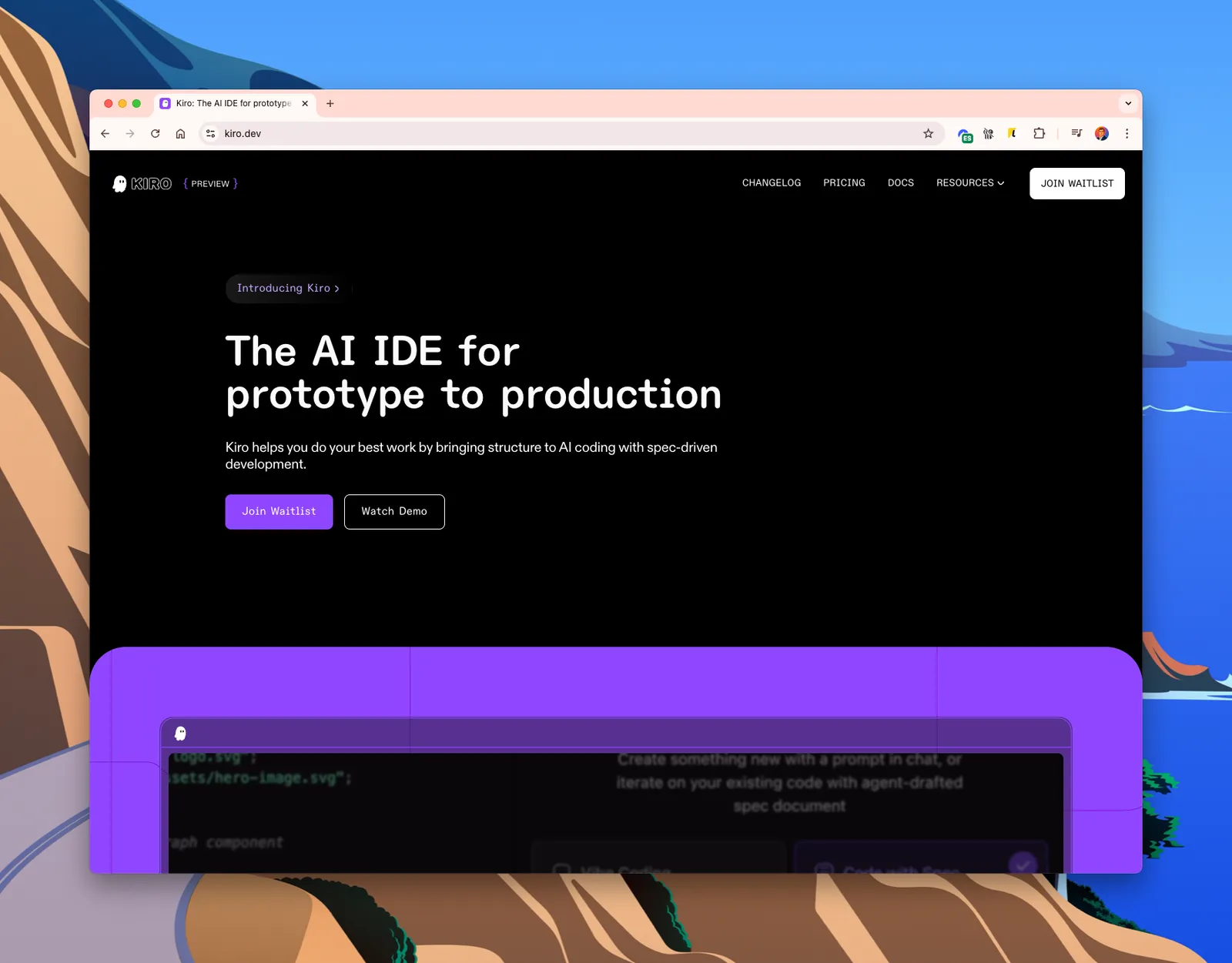
Kiro is a spec-driven, AI-native IDE that integrates a structured development model into your coding flow. Unlike traditional editors that focus on raw code editing, Kiro introduces an environment where specs, chat prompts and AI agents collaborate with you to build software.
Its promise is simple: bring discipline to the chaotic creative process of building software with AI — from idea to implementation.
✅ Key Benefits
- Spec-driven development: Instead of just chatting with an assistant, you can define features and requirements as structured specs.
- Integrated AI agents: Use prompts to iterate, refactor or even create complete files following your defined specs.
- Multimodal workflow: Combine chat, specs and traditional editing in a single UI.
- Production-oriented: Move beyond toy projects — Kiro supports serious, structured development.
⚙️ How does Kiro work?
At the core of Kiro is the concept of “spec documents” — structured descriptions of what you want your code to do. These specs guide the AI when generating or modifying code.
You interact with Kiro in multiple ways:
- Chat interface – Describe what you want in natural language.
- Spec builder – Define and edit the intended behaviour of your code.
- Code output – Kiro translates the spec into code files, functions or components.
The environment is sleek, minimal, and clearly targeted at developers used to working in tools like VSCode or web IDEs.
💸 Pricing & Access
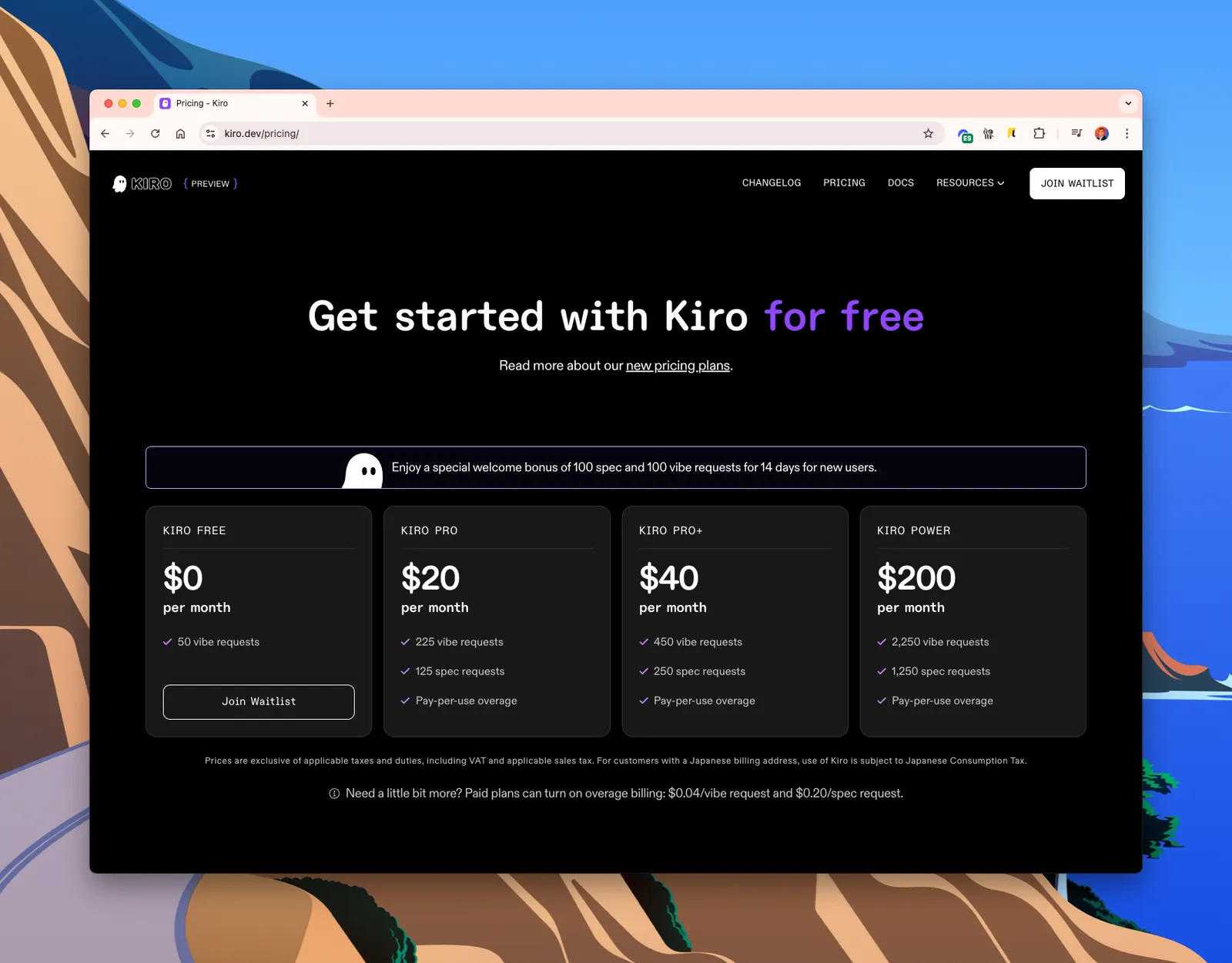
Kiro offers a freemium pricing model with several tiers depending on your usage:
- Kiro Free: $0/month, 50 vibe requests.
- Kiro Pro: $20/month, 225 vibe + 125 spec requests.
- Kiro Pro+: $40/month, double the previous plan.
- Kiro Power: $200/month, for power users with high demand.
🧪 My thoughts so far
After testing Kiro inside a few personal projects, I find it genuinely refreshing:
- The spec-first approach forces me to think more clearly before I code.
- The AI output is far more relevant and accurate when guided by structured specs.
- There’s a long way to go in terms of language support and customisation, but the core is promising.
This tool may not be for every dev yet — especially those who prefer unstructured tinkering — but if you’re building tools, SaaS products or internal software with clear business logic, Kiro has huge potential.
🧭 Final thoughts
AI is reshaping the developer experience. Tools like Kiro are not just about “AI pair programming” — they are about bringing rigour and scalability to how we build software with AI.
If you’re curious about how AI can help you not just write, but architect code, give Kiro a try. It’s still in preview, but it might just be the IDE we didn’t know we needed.